Resize Image in Pixels
Set an exact width and height in pixels. Keep the aspect ratio locked, or unlock it to set both sides, for one photo or a whole batch.
Resize in Pixels · Step 1 of 3 · Add your photo
Drop an image to resize
or paste with Ctrl+V · JPG PNG WebP HEIC GIF · max 25 MB
Processed on this device. Nothing is uploaded.
Resize
All resize tools
Every ready-made size, already set up. Pick one and drop your image.
Example
Before and after
We ran this sample through the resize in pixels tool above. The numbers under each image are measured from the real files.
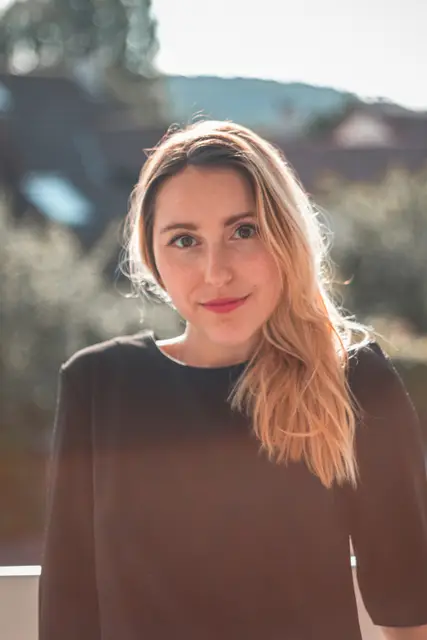
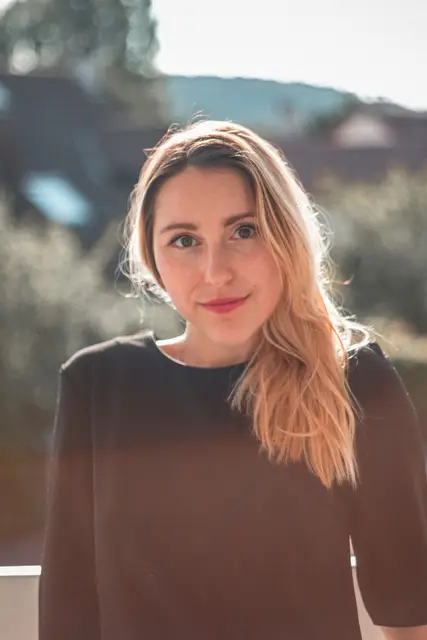
How to
How to resize an image in pixels
- 01
Add one or more images
Drop as many as you need. Each keeps its own aspect ratio.
- 02
Type the width
The height follows automatically while the lock is on. Unlock it to set both.
- 03
Download
One file, or all of them as a ZIP.
Why this size
Pixels, KB and cm are different things
Pixels are the width and height of the picture itself: a 1080 x 1080 photo has 1080 dots across. KB is the file size on disk, and cm is the size on paper. Changing the pixels changes all of them, which is why resizing is the first step when a form gives an exact pixel size.
Making a photo smaller keeps it sharp. Making it larger cannot add detail, so the result looks softer; start from the largest original you have.
| Common size | Pixels |
|---|---|
| Signature for forms | 140 x 60 |
| Passport size photo | 413 x 531 |
| Instagram post | 1080 x 1080 |
| YouTube thumbnail | 1280 x 720 |
| Full HD screen | 1920 x 1080 |
| 4K screen | 3840 x 2160 |
FAQ
Resize in Pixels: questions
- How do I resize an image in pixels?
- Add the image, type the width in pixels and download. With the lock on, the height is set for you.
- How do I keep the aspect ratio?
- Leave the lock on. Change the width and the height updates to match.
- Can I set the pixels and the KB together?
- Resize to the pixels here, then compress the result to the KB your form allows. The pixel size stays the same.
- Can I make an image larger?
- Yes, but a normal resize cannot add detail. Start from a big original, or use increase image resolution, which redraws the detail with AI.
- Can I resize many images at once?
- Yes. Add up to 5 at once, or 50 with a free account, and download a ZIP.
- Is my image uploaded?
- No. Everything runs in your browser.
Checked
How we checked this page
Checked by the SizePort team on .
We test the tool with sample photos before it goes live and check that the sizes on this page match what it produces. Rules and platforms change, so if something here is out of date, tell us and we will correct it.
How the tool works
The tool scales your image once, from the original pixels, to the size you set. Everything happens in your browser; your images are never uploaded.