JPG to PDF Under 500 KB
Convert JPG to PDF 500 KB or smaller: combine photos or scans into one PDF under the limit your form sets, or add a PDF you already have to compress it. Text stays readable.
JPG to PDF under 500 KB · Step 1 of 3 · Add your photo
Drop images or a PDF to make a PDF under 500 KB
or paste with Ctrl+V · JPG PNG WebP HEIC or PDF · up to 5 files
Processed on this device. Nothing is uploaded.
Image to PDF
JPG to PDF under a size limit
Example
Before and after
We ran this sample through the jpg to pdf under 500 kb tool above. The numbers under each image are measured from the real files.
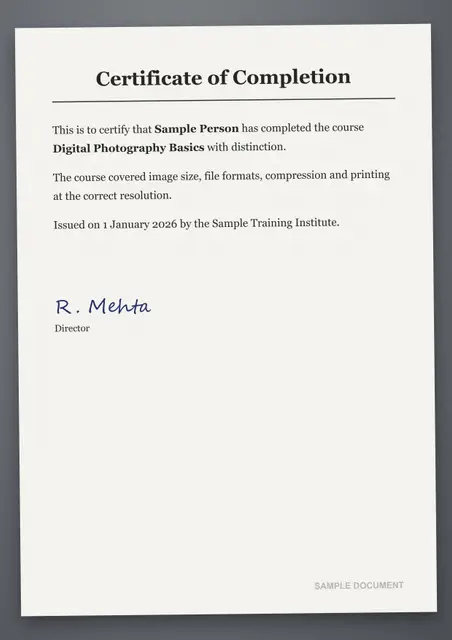
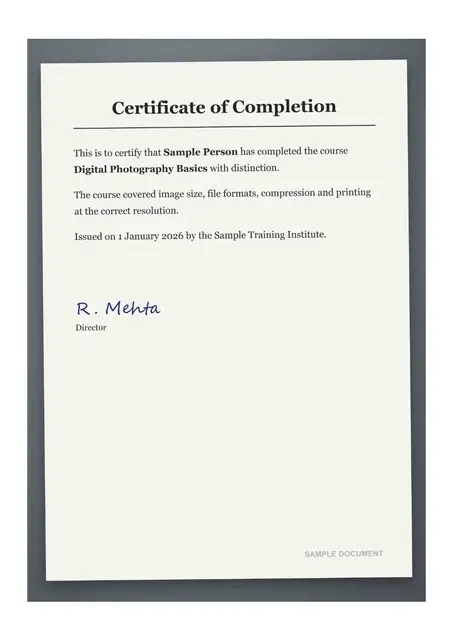
Sample made by the SizePort team, not a real document.
How to
How to convert JPG to PDF under 500 KB
- 1.
Add your pages. Photos or scans of each page, or a PDF you already have, in the order they should appear. About 5 to 8 scanned A4 pages stay readable under 500 KB.
- 2.
Keep the 500 KB limit. It is already set. The tool builds the PDF, or compresses yours, until it is under 500 KB: about 250 KB a page for two pages, 100 KB for five.
- 3.
Download the PDF. Check the size shown, then upload it to your form.
Why this size
Why forms ask for a PDF under 500 KB
500 KB is a roomy limit: 5 to 8 scanned pages, or a few pages of color photos, such as an ID card, a marksheet and a certificate in one file. Most online PDF sites upload your files to their servers to do this. Here the PDF is built and compressed on your own device, so private documents never leave it.
Some forms give a range, such as 100 KB to 500 KB. This tool keeps the PDF under the top of the range and compresses only as much as needed, so a few clear pages normally land inside it. For 10 pages or more, under 1 MB keeps them sharper.
| Size limit | Readable A4 pages |
|---|---|
| Under 400 KB | 4 to 6 |
| Under 500 KB (this page) | 5 to 8 |
| Under 1 MB | 10 to 15 |
Use cases
What people turn into a PDF under 500 KB
Visa documents
Bank statements, letters and bookings combined into one PDF.
Insurance claims
Bills, reports and photos of damage.
Email attachments
A file small enough for any mailbox.
Compare
How 500 KB splits across pages
Every page shares the limit. Fewer pages means more detail on each one.
| Pages in the PDF | Room for each page |
|---|---|
| 1 | about 500 KB |
| 2 | about 250 KB |
| 3 | about 167 KB |
| 5 | about 100 KB |
| 10 | about 50 KB |
Tips
Tips that make a difference
Keep color where it matters
One PDF for a whole file
Fewer pages, sharper text
FAQ
JPG to PDF under 500 KB: questions
- Can I convert JPEG to PDF under 500 KB?
- Yes. JPEG and JPG are the same format, and PNG, WebP and HEIC photos work too. Each image becomes one page.
- My form wants a PDF between 100 KB and 500 KB. What do I do?
- Add your pages here. The PDF stays under 500 KB, and a few clear pages are usually well above 100 KB. If the size shown is below 100 KB, add the original, sharper photos rather than screenshots.
- How is this different from other online PDF sites?
- Nothing is uploaded. Other sites send your files to a server; here the PDF is made in your browser, which matters for ID cards and certificates.
- How do I convert JPG to PDF under 500 KB?
- Add your photos, keep the 500 KB limit and download. The PDF is built and compressed on your device until it fits.
- How many pages fit in 500 KB?
- About 5 to 8 A4 pages of scanned text stay comfortably readable. Photos with lots of detail need more space per page.
- How do I compress a PDF to 500 KB?
- Add the PDF here instead of photos and keep the 500 KB limit: the tool reduces the PDF size until it is under 500 KB. The photos inside are compressed first, so typed text stays text; only if that is not enough are the pages saved as images.
- What if the PDF cannot get under 500 KB?
- You will see the size it reached. Crop the photos to the page, add fewer pages, or use a larger limit if your form allows it.
- Are my documents uploaded?
- No. The PDF under 500 KB is built in your browser, so certificates, IDs and other private documents never leave your device.
Checked
How we checked this page
Checked by the SizePort team on .
We test the tool with sample photos before it goes live and check that the sizes on this page match what it produces. Rules and platforms change, so if something here is out of date, tell us and we will correct it.
How the tool works
Each image becomes one page of a PDF built in your browser, and a PDF you add keeps all its pages, in the order you add the files. With a size limit, the tool first compresses the photos inside the PDF, quality first and size second, while typed text, links and drawings stay as they are, so the text can still be selected. Only if that is not enough is each page drawn with pdf.js (Mozilla, Apache 2.0) and saved as an image, smaller pages before lower quality, until the whole file is under the limit. Nothing is uploaded. Everything happens in your browser; your images are never uploaded.