ID Card Size Converter
The standard ID card size is 8.56 x 5.4 cm (85.6 x 54 mm, 3.37 x 2.13 inches), the size of an ATM card, a PVC card, a CNIC and most smart card driving licences. Crop a scan or photo to it and download it ready to print.
ID Card Size · Step 1 of 3 · Add your photo
Drop an image to resize
or paste with Ctrl+V · JPG PNG WebP HEIC GIF · max 25 MB
Processed on this device. Nothing is uploaded.
Example
Before and after
We ran this sample through the id card size tool above. The numbers under each image are measured from the real files.
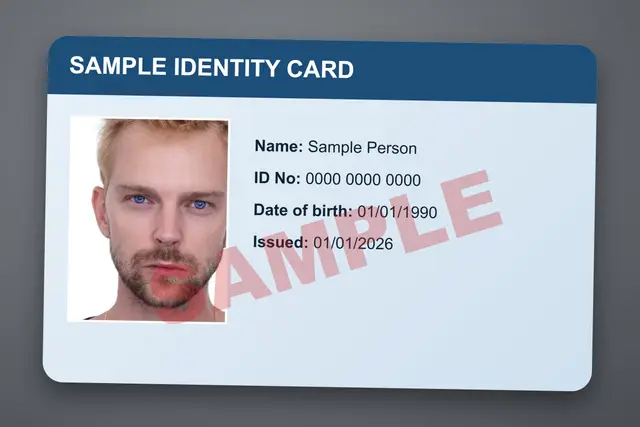
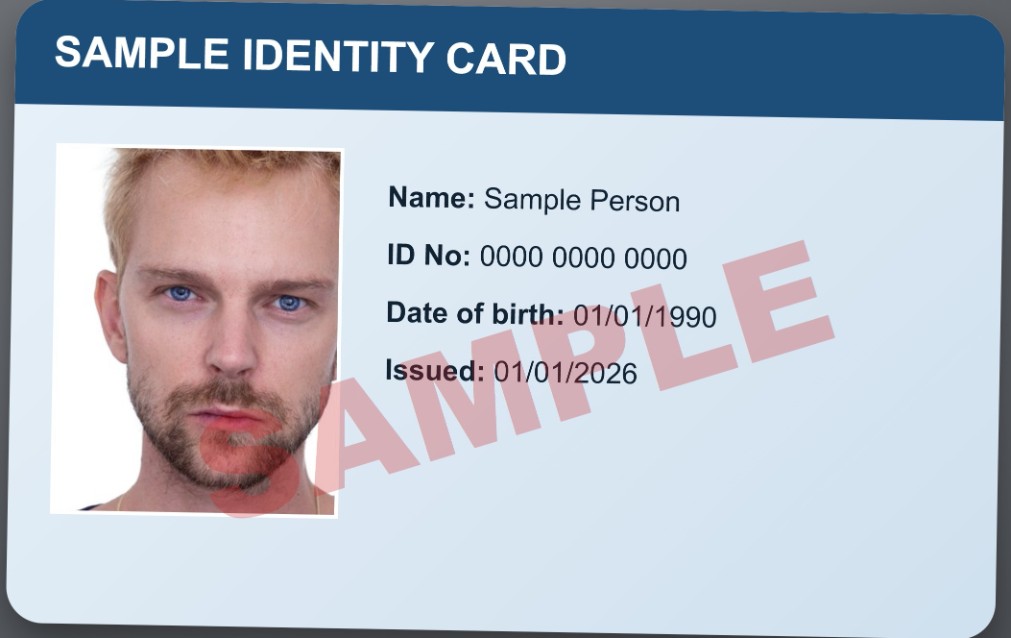
Sample made by the SizePort team, not a real document.
How to
How to resize an image to ID card size
- 1.
Add the scan or photo. A phone photo of the card, a scan or a JPG design. Lay the card flat and shoot from straight above.
- 2.
Crop to the card edges. The frame is locked to the card shape, 8.56 x 5.4 cm, so nothing gets stretched.
- 3.
Download and print. Get a 1011 x 638 px image at 300 DPI, in the format you added (a JPG stays a JPG). Print it at 100% and it measures 8.56 cm across.
Why this size
ID card size in cm, mm, inches and pixels
Almost every plastic card in your wallet is the same size. The ISO/IEC 7810 standard calls it ID-1 and sets it at 85.60 x 53.98 mm, which everyone rounds to 85.6 x 54 mm, or 8.56 x 5.4 cm. In inches it is 3 3/8 x 2 1/8 (3.375 x 2.125, often shortened to 3.37 x 2.13). Card printers sell the same blank as CR80.
The size is shared on purpose: wallets, card holders, ATM slots and card printers are all built around it. Bank and ATM cards use it. So do national ID cards: Pakistan's smart CNIC is made to the ICAO 9303 travel document standard, whose TD1 card is exactly this size, and India's Aadhaar PVC and PAN cards follow the same shape. Smart card driving licences and most staff, student and membership cards use it too. A scan cropped to any other shape is stretched or cut once it is printed or slipped into a holder.
A print-ready card also needs enough pixels. At 300 DPI, the usual print resolution, 8.56 x 5.4 cm is 1011 x 638 pixels, and a 600 DPI card printer wants 2022 x 1276; the DPI converter sets the DPI of a file you already have. Crop your card edge to edge here and the tool saves it at 1011 x 638 px with 300 DPI written into the file, so it prints at true size.
| Measure | ID card (ID-1) |
|---|---|
| Millimeters | 85.6 x 54 mm |
| Centimeters | 8.56 x 5.4 cm |
| Inches | 3.375 x 2.125 in |
| Pixels at 300 DPI | 1011 x 638 px |
| Pixels at 600 DPI | 2022 x 1276 px |
| Vertical card | 5.4 x 8.56 cm |
| Thickness | 0.76 mm |
| Corner radius | about 3 mm (1/8 in) |
Use cases
Cards that use this size
PVC cards
Turn a JPG into a PVC card size image for a card printer or a print shop.
National ID cards
Pakistan's CNIC, Bangladesh's NID, the Philippine national ID and India's Aadhaar, for copies and forms.
Staff badges
Print employee cards that fit standard badge holders and lanyards.
Student cards
School and university ID layouts at true card size.
Bank and membership cards
Gym, club and loyalty card designs for printing.
Driving licences
Smart card licences, for scans and copies.
Compare
Which cards use the standard ID card size
Card sizes follow ISO/IEC 7810. If your card looks different, measure it with a ruler before you print.
| Card | Size in cm | Size in inches |
|---|---|---|
| ATM, debit and credit cards | 8.56 x 5.4 cm | 3.37 x 2.13 in |
| Aadhaar PVC card and PAN card (India) | 8.56 x 5.4 cm | 3.37 x 2.13 in |
| CNIC smart card (Pakistan) | 8.56 x 5.4 cm | 3.37 x 2.13 in |
| Smart NID card (Bangladesh) | 8.56 x 5.4 cm | 3.37 x 2.13 in |
| PhilID and UMID (Philippines) | 8.56 x 5.4 cm | 3.37 x 2.13 in |
| Smart card driving licences | 8.56 x 5.4 cm | 3.37 x 2.13 in |
| Staff, student and membership cards (CR80) | 8.56 x 5.4 cm | 3.37 x 2.13 in |
| Large event badges (CR100) | 9.85 x 6.7 cm | 3.88 x 2.63 in |
Tips
Tips that make a difference
Print at actual size
Vertical ID cards
ID card size in Microsoft Word
Ten cards on one A4 sheet
A print is a copy
FAQ
ID Card Size: questions
Checked
How we checked this page
Checked by the SizePort team on .
We compare every size and rule on this page with the official sources below, and test the tool with sample photos before it goes live. Rules and platforms change, so if something here is out of date, tell us and we will correct it.
How the tool works
The tool scales your image once, from the original pixels, to the size you set at 300 DPI, and writes 300 DPI into the file so it prints at that size. Everything happens in your browser; your images are never uploaded.