Resize Image to US Letter Size
US Letter is 8.5 x 11 in, the standard paper size in the US, Canada and parts of Latin America. Fit any photo or scan to it at 300 DPI, ready to print.
US Letter · Step 1 of 3 · Add your photo
Drop an image to resize
or paste with Ctrl+V · JPG PNG WebP HEIC GIF · max 25 MB
Processed on this device. Nothing is uploaded.
Example
Before and after
We ran this sample through the us letter tool above. The numbers under each image are measured from the real files.
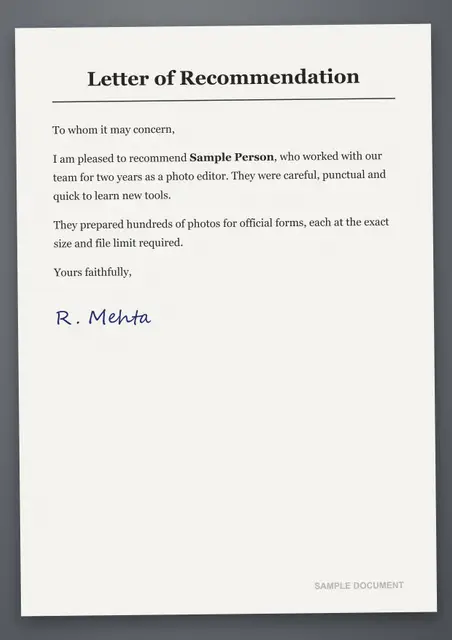
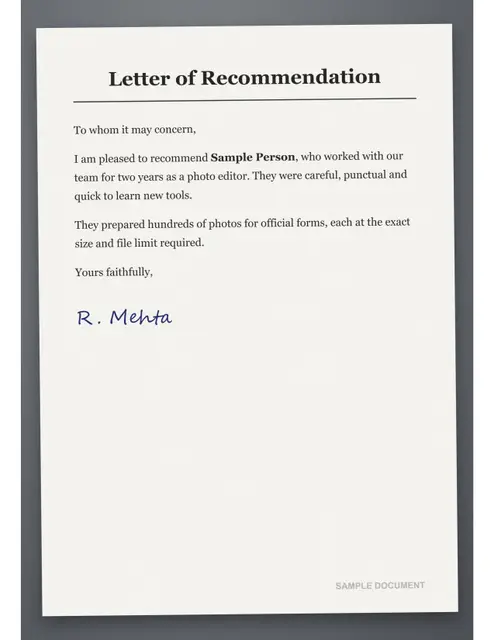
Sample made by the SizePort team, not a real document.
How to
How to resize an image to US Letter size
- 1.
Add your image. A scan, a screenshot, a design or a photo of a document.
- 2.
Choose fit or fill. Fit keeps the whole image on the page with white margins. Fill covers the page and trims the edges.
- 3.
Download and print. Print at 100% scale (actual size) and you get exactly 8.5 x 11 in.
Why this size
US Letter size in pixels, cm and inches
Printers think in physical sizes, screens think in pixels. US Letter is 21.59 x 27.94 cm, or 8.5 x 11 in. At 300 DPI, the standard for sharp prints, that is 2550 x 3300 px; at 150 DPI, enough for posters seen from a distance, it is 1275 x 1650 px.
The tool resizes your image to the 300 DPI size and writes 300 DPI into the file, so print dialogs pick the right size automatically. Print at 100% or Actual size, not Fit to page, and the result measures exactly 8.5 x 11 in.
| Measure | US Letter |
|---|---|
| Centimeters | 21.59 x 27.94 cm |
| Inches | 8.5 x 11 in |
| Pixels at 300 DPI | 2550 x 3300 px |
| Pixels at 150 DPI | 1275 x 1650 px |
| Pixels at 72 DPI | 612 x 792 px |
| Aspect ratio | 1:1.29 |
Avoid
Common problems and fixes
- The print comes out smaller, with wide white bordersThe print dialog is set to Fit to page. Choose 100% or Actual size and the page prints at the real size.
- The edges are cut offMost printers cannot print the last 3 to 5 mm of a sheet. Choose Fit when you resize, so the whole image sits inside the Letter page with a margin.
- The print looks blurryThe image has too few pixels for the size. Compare its width with the 300 DPI size in the table above; a smaller original prints soft however you resize it.
- The printer uses A4 paperOutside North America printers default to A4. Choose Letter in the print dialog, or resize to A4 instead.
FAQ
US Letter: questions
- What is US Letter size in pixels?
- 2550 x 3300 pixels at 300 DPI, or 1275 x 1650 at 150 DPI.
- What is Letter size in cm?
- 21.59 x 27.94 cm (215.9 x 279.4 mm).
- Is Letter the same as A4?
- No. Letter is slightly wider and shorter than A4 (21 x 29.7 cm). Choose the one your printer or form uses.
- Will my image be stretched?
- No. Choose Fit to keep the whole image with white margins, or Fill to cover the page and trim the edges.
- Why does my print come out smaller?
- Make sure the print dialog is set to 100% or Actual size, not Fit to page.
- Is my file uploaded?
- No. Everything runs in your browser.
Checked
How we checked this page
Checked by the SizePort team on .
We test the tool with sample photos before it goes live and check that the sizes on this page match what it produces. Rules and platforms change, so if something here is out of date, tell us and we will correct it.
How the tool works
The tool scales your image once, from the original pixels, to the size you set at 300 DPI, and writes 300 DPI into the file so it prints at that size. Everything happens in your browser; your images are never uploaded.