Signature Resize for Online Forms
Crop your signature, resize it to 140 x 60 pixels and get a JPG between 10 and 20 KB, the size bank exams like IBPS and SBI and many other forms ask for.
Signature Resize · Step 1 of 3 · Add your photo
Drop an image to resize
or paste with Ctrl+V · JPG PNG WebP HEIC GIF · max 25 MB
Processed on this device. Nothing is uploaded.
Example
Before and after
We ran this sample through the signature resize tool above. The numbers under each image are measured from the real files.
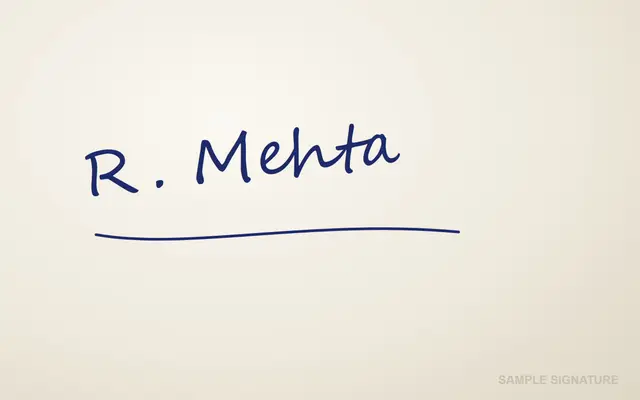

Sample made by the SizePort team, not a real document.
How to
How to resize a signature
- 1
Sign and take a photo
Sign on plain white paper with a black or blue pen, then photograph it from straight above in daylight.
- 2
Crop tightly
Fit the frame around the ink. It is locked to the 140 x 60 shape, so the signature is never stretched.
- 3
Download
A 140 x 60 pixel JPG between 10 and 20 KB, ready to upload.
Why this size
Signature size: 140 x 60 pixels, 10 to 20 KB
Bank exams such as IBPS and SBI, and many other online forms, ask for a signature of 140 x 60 pixels (about 3.5 x 1.5 cm) as a JPG between 10 and 20 KB. A phone photo of a signature is several MB and the wrong shape, so it gets rejected.
The tool crops your signature to the 140 x 60 shape, resizes it and fits the file into 10 to 20 KB. Such a small image is often under 10 KB, so the tool adds harmless padding to reach the minimum. The signature itself does not change.
Some forms want something else: SSC asks for 6 x 2 cm, RRB for 30 to 49 KB, and the PAN card portals have their own sizes. Their pages are linked below.
| Form | Signature rule |
|---|---|
| IBPS and SBI | 140 x 60 px, 10 to 20 KB |
| SSC | 6 x 2 cm, 10 to 20 KB |
| RRB | 30 to 49 KB |
| UPSC | 3 signatures, 20 to 100 KB |
| PAN (NSDL) | 4.5 x 2 cm, up to 50 KB |
Use cases
When you need this
Exam applications
Bank, board, university and entry-test forms.
Job portals
Public service commission and recruitment forms.
Bank and KYC forms
Online account opening with a signature upload.
Government services
Licence, ID and passport renewal forms.
Tips
Tips that make a difference
Sign a little larger
Need a size in cm?
FAQ
Signature Resize: questions
Checked
How we checked this page
Checked by the SizePort team on .
We compare every size and rule on this page with the official sources below, and test the tool with sample photos before it goes live. Rules and platforms change, so if something here is out of date, tell us and we will correct it.
How the tool works
The tool scales your image once, from the original pixels, to the size you set. It then compresses the JPG only as far as needed to stay under the KB limit, and pads it if it falls below the minimum. Everything happens in your browser; your images are never uploaded.