UPSC Photo Resize and Signature Resize
UPSC photo resize to the current rule: a JPG of 550 to 1000 pixels on each side and 20 to 300 KB, your face filling three quarters of it, with your name and the photo's date at the bottom. The three signature upload is made here too.
1Choose your exam
What this exam asks for
UPSCOfficial site
- Photograph550 to 1000 px on each side, 20 to 300 KB, JPG
- SignatureThree signatures one below the other, 350 to 550 px on each side, 20 to 300 KB, JPG
Your face, from the top of the hair to the chin, should cover three quarters of the photo, on a plain white background.
The photo must show your name and the date it was taken at the bottom, and be no more than 10 days old when the application opens. Add them first with the name and date tool, then add that picture here and drag the frame out to its edges so the name and date stay in.
For the signature, sign three times one below the other on plain white paper in black ink, and photograph the page.
Rules checked October 2026. Notices change every cycle, so confirm the size in your exam’s official notification before you submit.
2Add your files
Add your photo
or paste with Ctrl+V · A recent colour photo, face straight on, light background. Phone photos are fine.
Add your signature
or paste with Ctrl+V · Sign in black ink on white paper, take a photo straight from above. We whiten the paper and trim the edges.
3Get your files
Your photo, signature and documents are processed on this device. Nothing is uploaded.
Exam Photo & Signature Kit
Photo and signature by exam
Example
Before and after
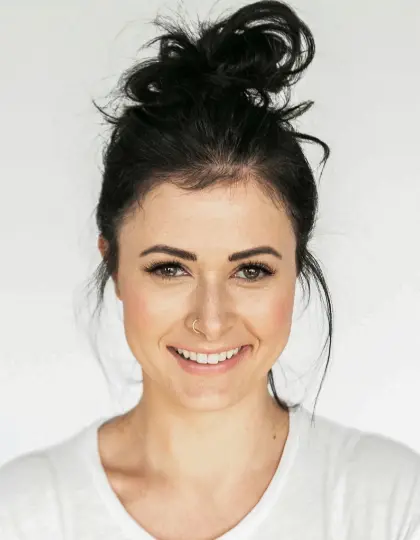
We ran this sample through the upsc photo & signature tool above. The numbers under each image are measured from the real files.
Photo

Signature


Sample made by the SizePort team, not a real document.
How to
UPSC photo resize in 3 steps
- 1
UPSC is already chosen
The rules below are loaded. Pick another exam at any time if you are applying to more than one.
- 2
Add your photo and signature
Take a photo of your signature on white paper; it is cleaned and trimmed for you. Frame your face in the photo.
- 3
Download
Each file comes out at the exact pixel size and inside the KB range. Upload it straight to the form.
Why this size
UPSC photo size and signature size
UPSC's One Time Registration asks for a photo of 550 to 1000 pixels on each side, between 20 and 300 KB, as a JPG on a plain white background. Your face, from the top of the hair to the chin, fills three quarters of it, and the photo must show your name and the date it was taken at the bottom. It must be no more than 10 days old when the application opens. This page makes a 630 x 810 pixel photo under 200 KB, which also passes the 200 KB limit some guides give.
The signature is a separate file: three signatures one below the other in black ink, 350 to 550 pixels on each side and 20 to 300 KB. This page makes it 500 x 500 pixels and under 100 KB, inside every version of the rule.
| File | Rule |
|---|---|
| Photograph | 550 to 1000 px on each side, 20 to 300 KB, JPG |
| Signature | Three signatures one below the other, 350 to 550 px on each side, 20 to 300 KB, JPG |
Compare
UPSC photo size in pixels and KB
The UPSC portal's limits, and what this page makes. Your appearance must match the photo at the prelims, mains and interview.
| File | UPSC rule | This page makes |
|---|---|---|
| Photo | 550 to 1000 px on each side, 20 to 300 KB, JPG | 630 x 810 px, under 200 KB |
| Name and date | At the bottom of the photo | Add with the name and date tool |
| How recent | At most 10 days old when the application opens | Use a new photo |
| Face | 3/4 of the photo, hair to chin | Framed for you |
| Signature | 3 signatures, 350 to 550 px, 20 to 300 KB | 500 x 500 px, under 100 KB |
Tips
Tips that make a difference
From the notice
From the notice
From the notice
Check the latest notice
FAQ
UPSC Photo & Signature: questions
Checked
How we checked this page
Checked by the SizePort team on .
We compare every size and rule on this page with the official sources below, and test the tool with sample photos before it goes live. Rules and platforms change, so if something here is out of date, tell us and we will correct it.
How the tool works
The kit sets each file to the exact pixel size the form gives, then searches for the JPG quality that lands it inside the KB range. If a small file is still under the minimum, it adds an empty comment block inside the JPG, which raises the size without changing the picture. It also writes the DPI the form asks for. Everything happens in your browser; your images are never uploaded.